
How to Set Up a Family Command Center
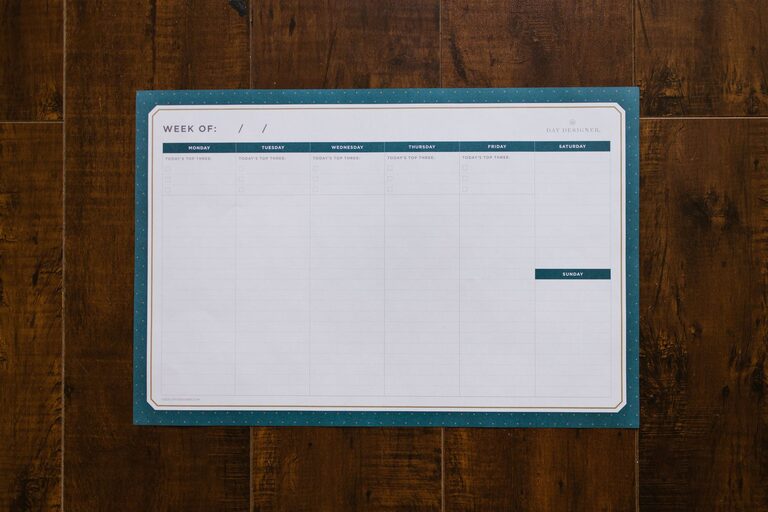
A family command center is a central place where everyone can find the information and items they need for daily life. It can help manage schedules, school papers, shopping lists, keys, mail, and household tasks without requiring a large room or expensive storage system.
The best command centers are simple, visible, and easy for every family member to use. You can create one in a kitchen corner, entryway, mudroom, hallway, or another convenient location. The goal is not to build a perfect display. It is to create a practical system that reduces confusion and makes routines easier.
Decide What Your Family Needs
Before buying supplies or choosing a wall, think about the problems you want your command center to solve. Every household has different needs, so begin with a short list.
Ask questions such as:
– Where do keys and wallets usually end up?
– How are school and activity schedules shared?
– Do papers collect on the kitchen counter?
– Does the family need a weekly meal plan?
– Where should outgoing mail or permission forms go?
– Which household tasks need reminders?
– Do children need a place for backpacks or personal items?
Write down the most common sources of clutter or missed information. Your command center should address those issues first. If your family rarely uses a paper calendar, for example, it may be more useful to focus on baskets, hooks, and a shared digital calendar.
Choose the Right Location
Location has a major effect on whether the system will be used. Select a spot that family members naturally pass each day.
Common locations include:
– Near the main entrance
– Beside the garage door
– In a mudroom
– On a kitchen wall
– Near the laundry room
– In a hallway between bedrooms and common areas
Choose a wall or surface with enough room for the features you need. Make sure the area has good lighting and does not block doors, walkways, or electrical outlets.
If children will use the command center, place their sections at a comfortable height. Adults can have higher shelves or hooks, while children can have lower bins and accessible paper trays.
Select the Essential Components
A family command center does not need every possible organizational tool. Start with the essentials and add features only when they solve a real problem.
Shared Calendar
A calendar provides a quick view of appointments, school events, activities, birthdays, and important deadlines. A large monthly calendar works well for families who prefer paper. Use a different color for each person, or keep the color system simple with one color for activities and another for appointments.
Leave enough writing space for details. If the calendar becomes crowded, use it for major events and keep additional information in a digital calendar.
Mail and Paper Storage
Paperwork can quickly overwhelm an entryway or kitchen counter. Add labeled folders, vertical file holders, or wall-mounted pockets for categories such as:
– To review
– To sign
– To file
– School
– Activities
– Outgoing
Avoid creating too many categories. A small number of clear labels is easier to maintain. Recycle unwanted mail as soon as possible and set a regular time to review the remaining papers.
Hooks and Drop Zones
Hooks give frequently used items a designated home. Use them for keys, bags, coats, hats, reusable shopping bags, or pet leashes.
You may want to assign one hook or cubby to each family member. Personal spaces help prevent items from being mixed together and make it easier for everyone to take responsibility for their belongings.
For safety and convenience, attach hooks securely and choose a height that works for the people using them.
Supplies for Daily Planning
Keep a small set of useful supplies nearby, such as:
– Pens and pencils
– Sticky notes
– Dry-erase markers
– Scissors
– Tape
– A small notepad
– A grocery list pad
Store these items in a cup, drawer, or container so they remain easy to reach but do not create additional clutter. If young children use the area, store sharp items safely.
Add a Meal and Shopping Planning Area
Meal planning can make busy weekdays easier and reduce repeated trips to the store. Add a weekly meal plan beside the calendar or use a dry-erase board for flexible updates.
A simple meal planning section can include:
– Breakfast ideas
– Packed lunch reminders
– Dinner plans
– Grocery items
– Notes about activities or late evenings
Keep the system realistic. You do not need to plan every meal in detail. Listing a few dinner ideas and noting which nights are busy may be enough.
A magnetic notepad or small whiteboard can serve as a shared grocery list. Encourage everyone to add items when they notice something is running low.
Create a Task and Reminder System
A command center can also make household responsibilities more visible. Use a small checklist, chore chart, or rotating task board.
When assigning tasks, keep expectations clear. List specific actions rather than broad categories. For example, “empty the dishwasher” is easier to understand than “help in the kitchen.”
You can organize tasks by:
– Person
– Day of the week
– Daily and weekly responsibilities
– Morning and evening routines
Avoid making the display too complicated. If the family cannot understand it at a glance, it may not be practical for everyday use.
Keep Digital and Paper Systems Connected
Many families use both paper and digital tools. These systems work best when each has a clear purpose.
For example, the command center might display the week’s most important events, while a shared digital calendar stores addresses, reminders, and detailed information. Choose one main source for full schedule details so family members do not have to check multiple places.
Review both systems regularly to make sure they match. A quick weekly update can prevent outdated information from creating confusion.
Make It Easy to Maintain
The command center should save time, not become another project to manage. Build simple maintenance habits into your routine.
Try these practices:
– Clear old papers once a week.
– Update the calendar on the same day each week.
– Return keys and supplies to their assigned spots.
– Remove completed lists and expired reminders.
– Check baskets and folders before they become full.
– Ask family members what is or is not working.
Use labels that are easy to read and containers that fit the available space. Leave some empty space so the area can handle busy weeks without immediately becoming disorganized.
Personalize the System
A command center can be useful and attractive without matching a specific decorating style. Choose materials that fit your home and are easy to clean.
You might use:
– A framed whiteboard
– Matching baskets
– A corkboard
– Wooden shelves
– Metal wall organizers
– Magnetic clips
– A simple color system
Keep decorations limited if they reduce usable space. The most important feature is visibility. Family members should be able to find information quickly and return items without asking for help.
Start Small and Adjust
You do not need to complete the entire command center in one day. Begin with the two or three features your family needs most, such as a calendar, hooks, and a paper tray.
Use the system for a few weeks and observe what happens. If papers continue to collect elsewhere, add a better filing option. If the calendar is ignored, move it to a more visible location or try a different format.
A successful family command center is not necessarily large or stylish. It is a shared system that fits your routines, reduces daily clutter, and helps everyone know what needs attention. Start with the essentials, keep the layout simple, and adjust it as your family’s needs change.